June 8th, 2026
Improved
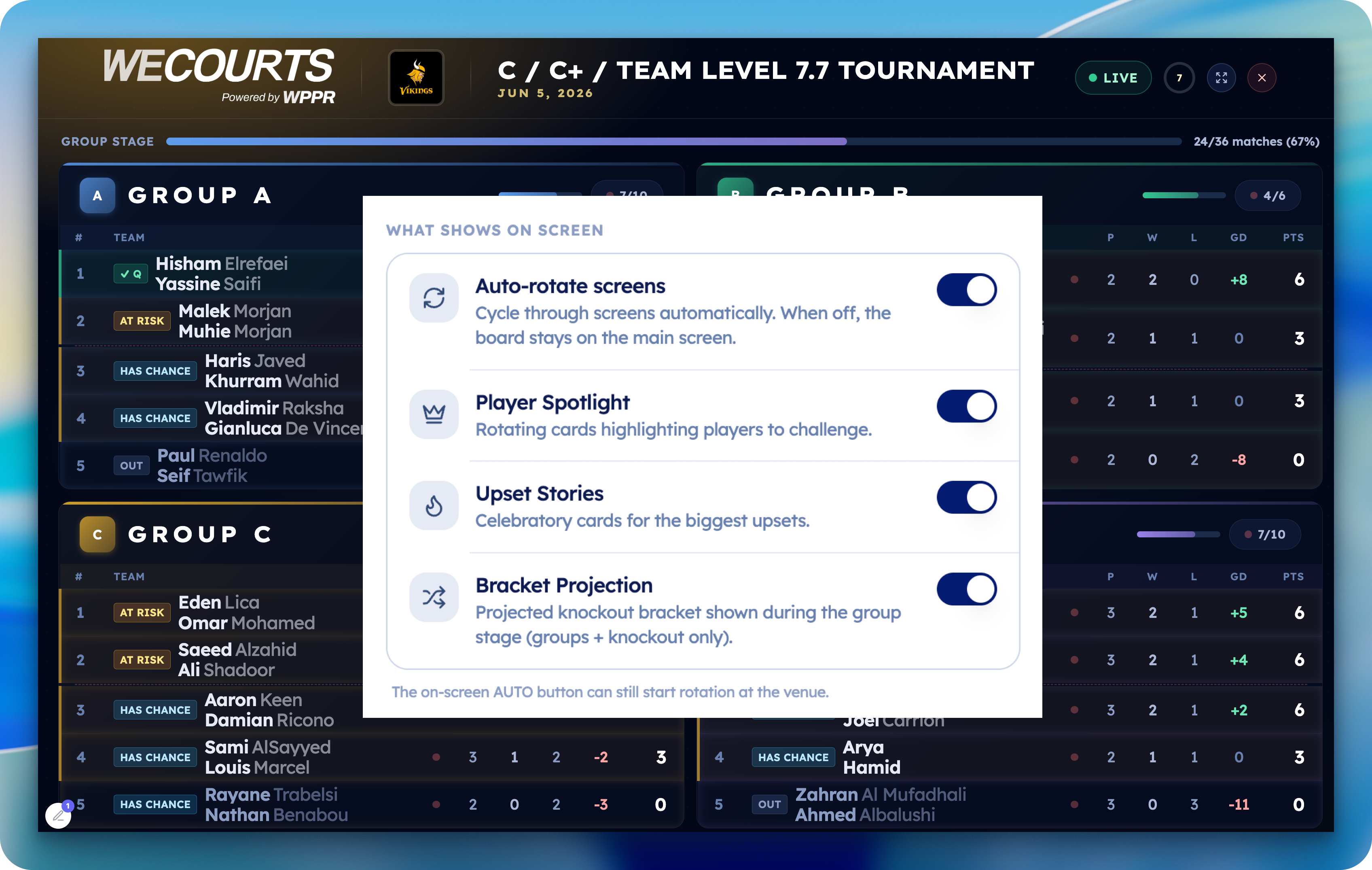
Control your TV screens live — from your phone
Decide exactly what plays on the big screen, and change it on every TV in seconds — without ever walking over to the screens.
Your TV, your rules — now controllable from anywhere
When you put a tournament on the big screen, you no longer have to take whatever the board decides to show. From Scoring → Settings → WeCourts TV, you now control what appears on screen:
🔄 Turn off auto-rotation — keep the board fixed on the main screen (live standings or bracket) instead of cycling through pages. Flip it back on anytime.
⭐ Hide the Player Spotlight — drop the rotating "players to challenge" cards if you'd rather keep the focus on the action.
🏆 Hide Upset Stories — turn off the celebratory upset cards.
📊 Hide the Bracket Projection — remove the projected-knockout preview during the group stage.
Everything stays on by default, so nothing changes for your existing events until you decide to adjust it.
The best part: it's live
Make a change on your phone and every screen updates within seconds — no refreshing, no logging into each TV, no running around the venue. Set up your screens once, then run the whole board from your hand.
How it works: each screen quietly checks for changes a couple of times a second using a tiny, lightweight signal — so your updates land almost instantly without slowing the board down or hammering the network.
Open a tournament → Scoring → Settings → WeCourts TV

